Mobile Application
PERFECTFIT
UX/UI Design
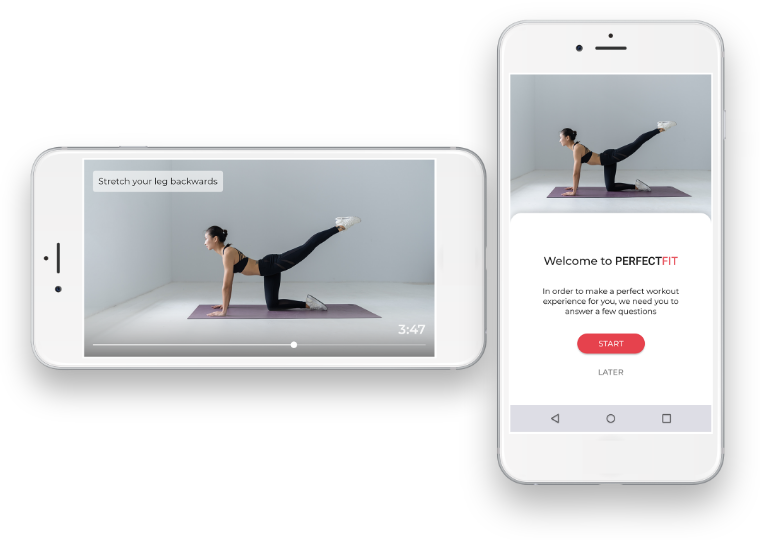
PERFECTFIT
PERFECTFIT is a mobile based fitness app for Android. By using Artificial Intelligence (AI) technology, the app learns and identifies user needs and suggests the perfect workouts for him.
PERFECTFIT mobile app was designed for my final project in an UI/UX course.
The Challenge
Fitness apps offer fixed workout programs which do not fit and adjust to the user needs. Therefore, people who start working out and use mobile apps, tend to give up and quit after a few months.
The Solution
PERFECTFIT, unlike other apps, learns the user preferences and behavior and continuously auto-adjusts the recommended workout routine. This increases the likelihood for the user to keep using the app and be persistent with his workouts.
In the future, the app may be extended to include personalized nutrition recommendations.
The Process
Discover
Define
Test
User Research
Target Audience
The following are the target audience for the PERFECTFIT app:
- People with limited free time (for example: full-time workers, parents). They need an app that can provide them with a flexible time constraint workout routine.
- Low-income users. They need an affordable and inexpensive solution.
- People who do not wish to sign up or commit in advance to a gym or a fitness studio for a long period of time.
Users Interviews
Based on questionnaires that were filled by users from the various target audience groups (defined above), I discovered the following:
- The main reasons people tend to quit working out are:
- Lack of motivation (85%)
- Lack of time (78%)
- Sport is in low priority (65%)
- No workout equipment (30%)
- Bad weather (8%)
- The main reasons that drive people to maintain their sport routine:
- Losing weight (88%)
- Have a healthy life (85%)
- Have a healthy self-image (72%)
- Release of stress (55%)
- Most people exercise 1-2 times a week for 30 or 60 minutes.
- People who use an app for their workout routine, mention that the following features are important to them in a workout application:
- Workout diversity (85%)
- Adjustment to their intensity level (71%)
- Progress tracking (42%)
Persona
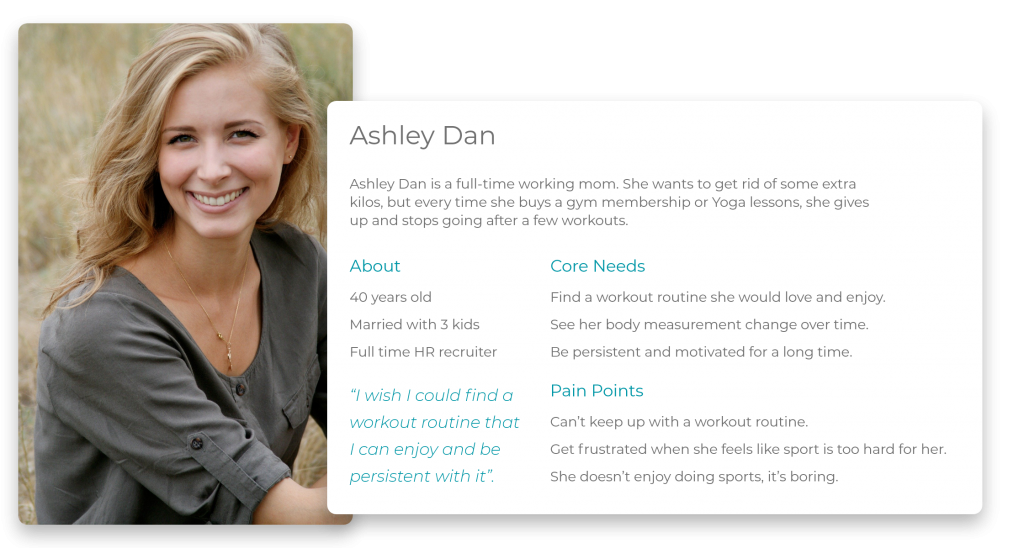
Based on the above findings, I created the following “Persona”.
Finding The Problem
I created “How Might We” (HMW) and “Point of View” (POV) statements, using insight from my research and Persona, to define the challenges that need to be addressed in the ideation sessions.
| Insight | Need | POV Statement | HMW |
|---|---|---|---|
| In order to get results fast and for the workout to be efficient, users must perform the workout correctly. | Clear instructions and demonstrations for the workout exercises. | As a user, I need to perform the workout exercises correctly, so I get results fast. | How might we help the user to perform the workout exercises correctly? |
| Workout exercises should match the user profile and fitness level, otherwise he will probably give up. | A large number of workouts with different intensity levels, and duration. | As a user, I need to choose a workout that matches my fitness profile so I will be able to enjoy and finish it. | How might we help the user to choose the best workout that matches his profile? |
| People lose their motivation after a while. | Maintain motivation over time. | As a user, I need to see results and receive good feedback so I can keep myself motivated. | How might we keep the user motivated? |
| People tend to forget or skip their workouts. | Get notify about the next workout. | As a user, I need to know when my next workout is so I won’t skip it. | How might we help the user remember to do his next workout and avoid skipping it? |
Solving The Problem
How might we help the user to perform the workout exercises correctly?
PERFECTFIT will use full screen workout instruction videos to guide the user:
- In the workout video a trainer will explain and demonstrate how to perform each exercise clearly.
- The instructions of each exercise will be displayed on screen while the trainer performs it.
How might we help the user to choose the best workout that matches his profile?
PERFECTFIT will identify the best workouts to fit the user:
- The list of recommended workouts will be displayed to the user.
- Workouts which are a better match for the user will be shown at the top of the list.
- Each workout will have some relevant information, such as: “matching score”, length, and intensity level. This will assist the user to choose the right workout for him.
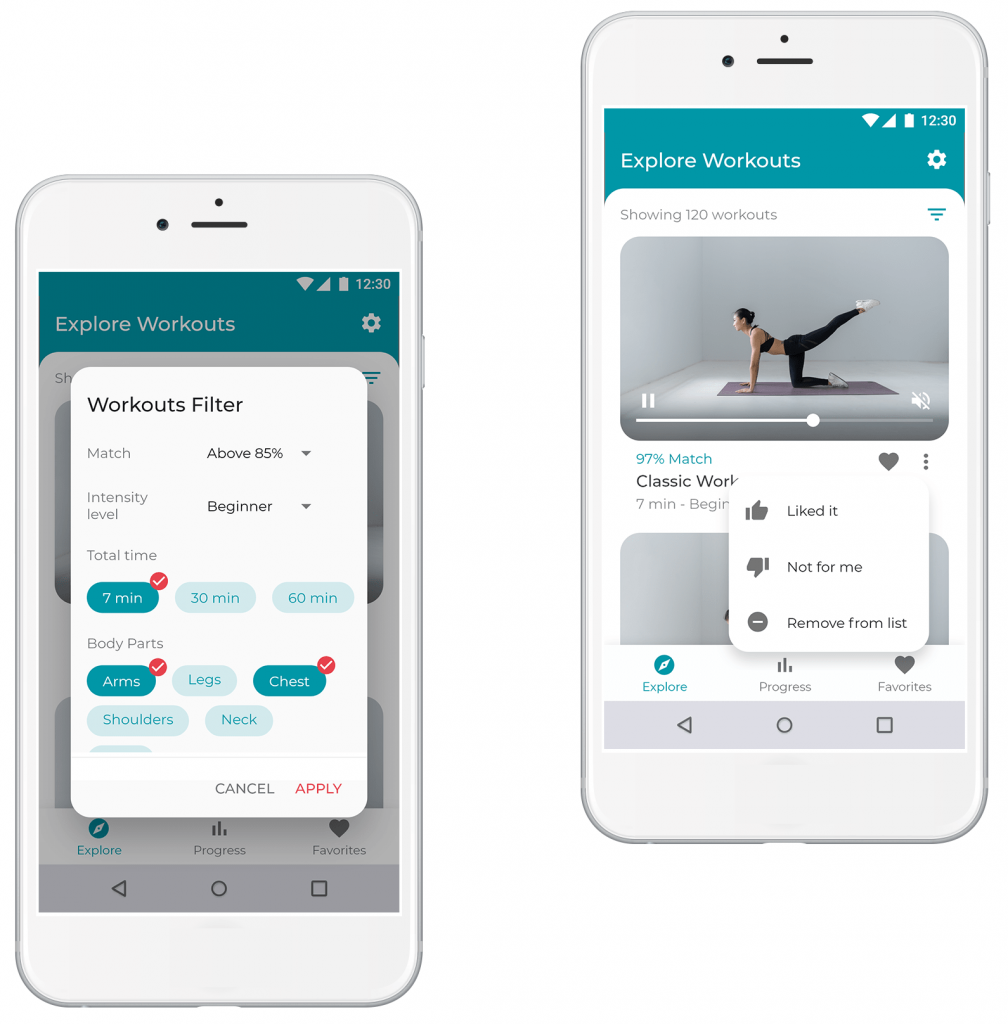
- A user will be able to narrow down the recommended workout list by applying filters.
How might we keep the user motivated?
PERFECTFIT will use a variety of features to keep the user motivated:
- Track and display the user progress:
- Numeric parameters.
- Graphic representation – to better understand his progress over time.
- Photos – see his visual progress “before” and “after”.
- Allow the user to share progress data – A user will be able share his “before” and “after” photos to get good feedback from his friends.
- Provide the user with good feedback and grant him with a reward when he finishes a workout.
- Display past rewards the user achieved and the rewards he may get if he keeps working out.
- Remind the user about his next workout.
How might we help the user remember to do his next workout and avoid skipping it?
PERFECTFIT will use the following features to help the user remembering to work out:
- Display a reminder for the user that will encourage him to schedule a workout if he doesn’t exercise for a while.
- The app will remind the user about his scheduled workouts using:
- Push notifications
- Integration with the user’s calendar
Information Architecture
The following IA describes the content structure of the application.

User Flow
The following user flow describes the various interactions a user may have with the PERFECTFIT app (click the image to enlarge).

Wireframes
After a few hand drawn sketches, I switched to Adobe XD to create a prototype (click the image to enlarge).

User Interface Design
The objective of the interface is to keep the app fun and energetic. This is accomplished through the use of heavily rounded corners, vibrant colors and big beautiful photos.
Since this app is designed for Android, Google Material Design specs is taken into consideration for all the element sizes, spacing, margins, etc.
On-boarding
When the user opens PERFECTFIT for the first time, the on-boarding screen is displayed (right after the splash screen)
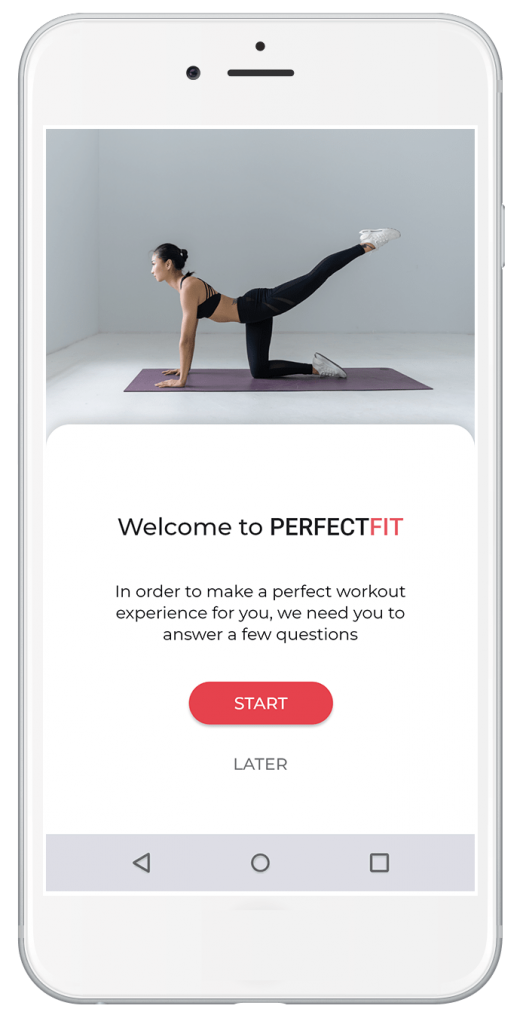
The on-boarding screen welcomes the user and explains him the importance of completing the questionnaire.

Each page in the questionnaire has one main question, an additional explanation that highlights the importance of answering that question and a list of answers the users can choose from.
User can always go back to change his response, or skip a question using the arrows at the bottom.
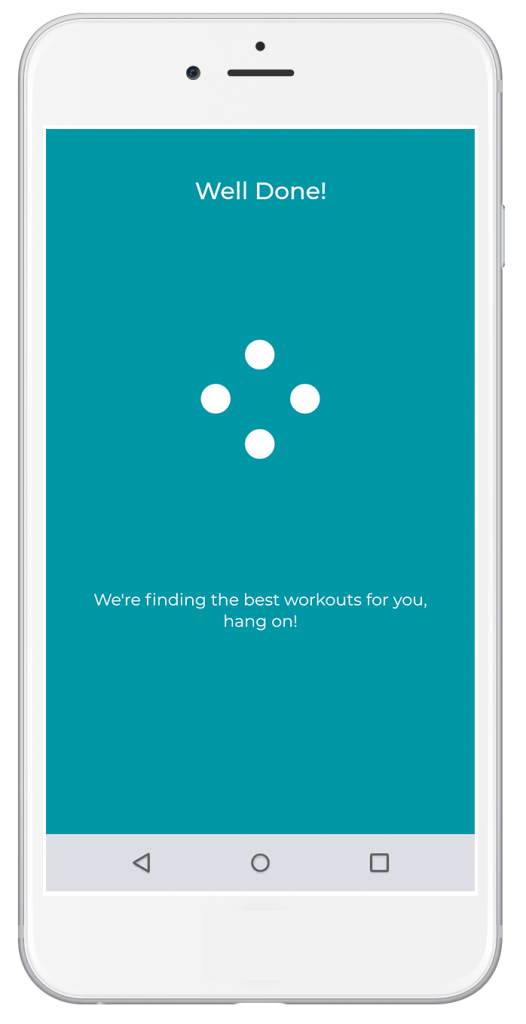
Once the user finishes answering the questions and submits the questionnaire, a “Loading Screen” is displayed for a couple of seconds. This makes the user feel satisfied since his input is being processed and taken into consideration.
Navigation
PERFECTFIT has a bottom navigation bar with 3 destinations:
- Explore
- Progress
- Favorites
A settings button is available through-out the app and allows the user to update his preferences easily.
The reason for choosing a bottom navigation bar was due to the fact the app doesn’t require many top-level destinations.
Explore
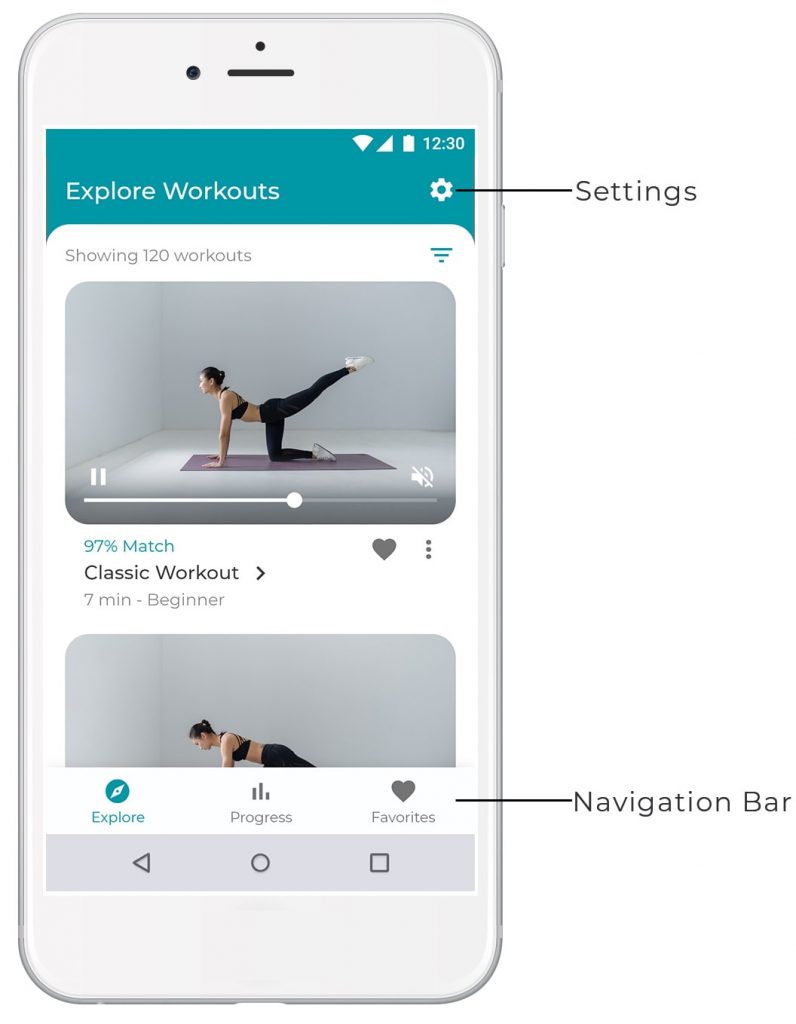
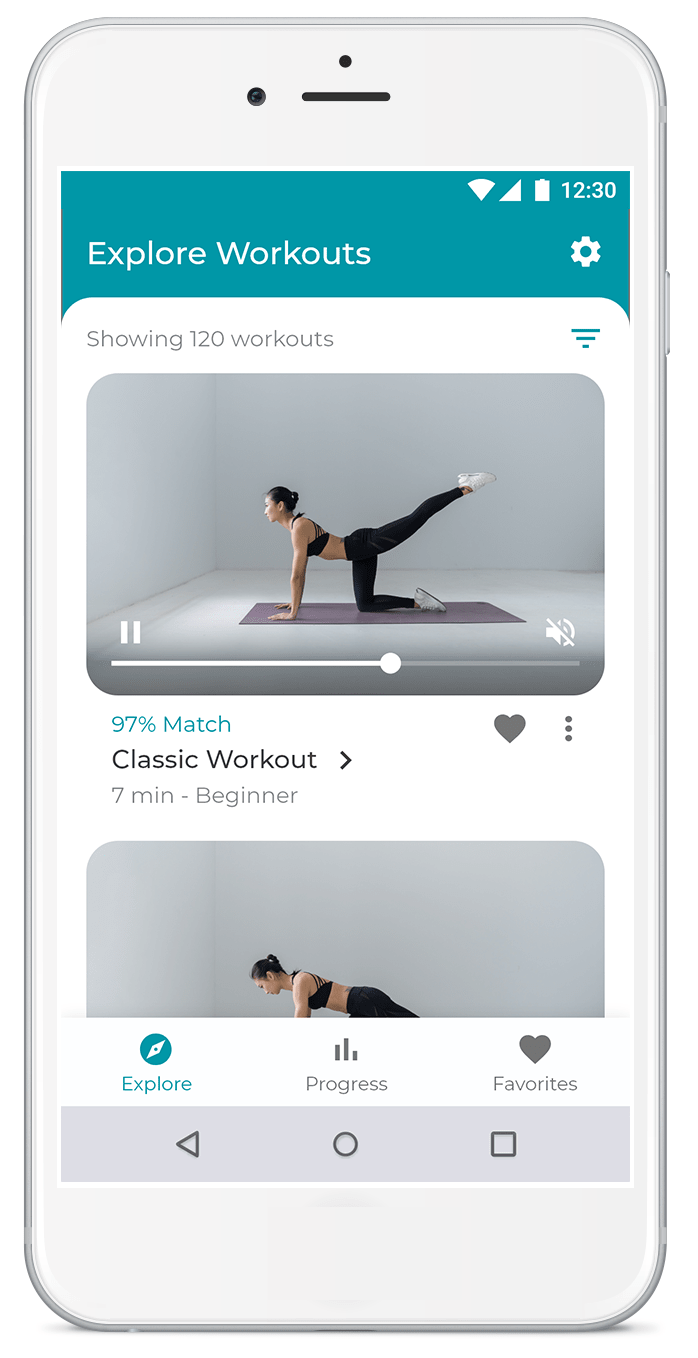
PERFECTFIT Explore screen displays a list of recommended workouts the user can choose from.
This list of workouts has the following characteristics:
- Workouts with a higher match to the user preferences are displayed in a higher location at the list (i.e. at the top of the list).
- When scrolling throughout the list, the displayed video of each workout is auto-played. This way the user gets a preview of the workout.
- For each workout, the following information is displayed: Its name, matching score, length and level of intensity.
- User can use the “Workouts Filter” to reduce the number of workouts shown in the list.
- User has the option to like or dislike a workout or remove it from the list using the three-dots icon.
- User can add a workout to his list of “favorite” workouts by clicking on the “favorite” button.
Clicking on the workout name opens the Workout Description screen.
Workout Description Screen
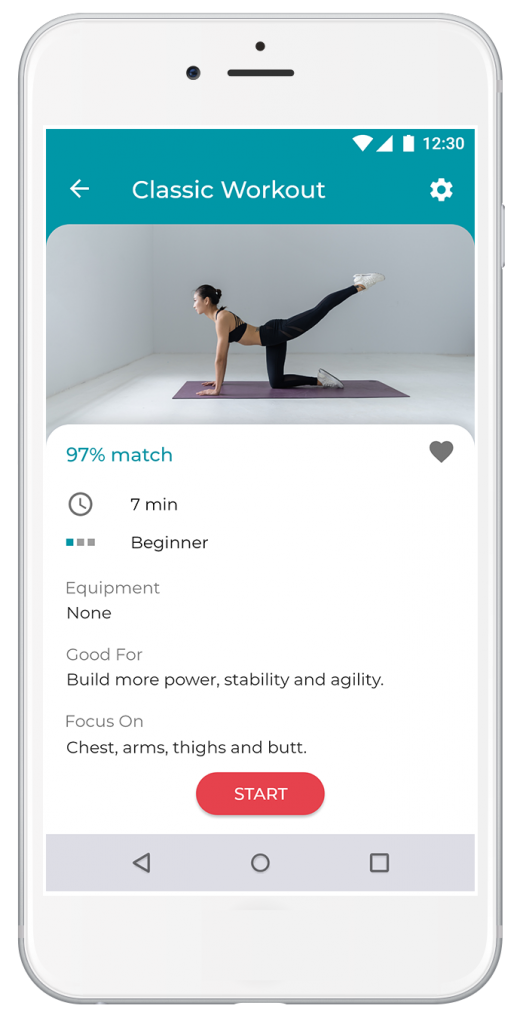
The workout description screen contains the following:
- Relevant information on the current workout.
- Favorite button to encourage the user to maintain his favorite list of workouts. The goal is to encourage the user to put some effort and prepare a list of favorite workouts he will most likely enjoy doing. The more effort a user puts in adding his personal preferences to the application, it is more likely he will use the application again.
- A “Start” floating action button: Clicking on the “start” button will start the workout video.
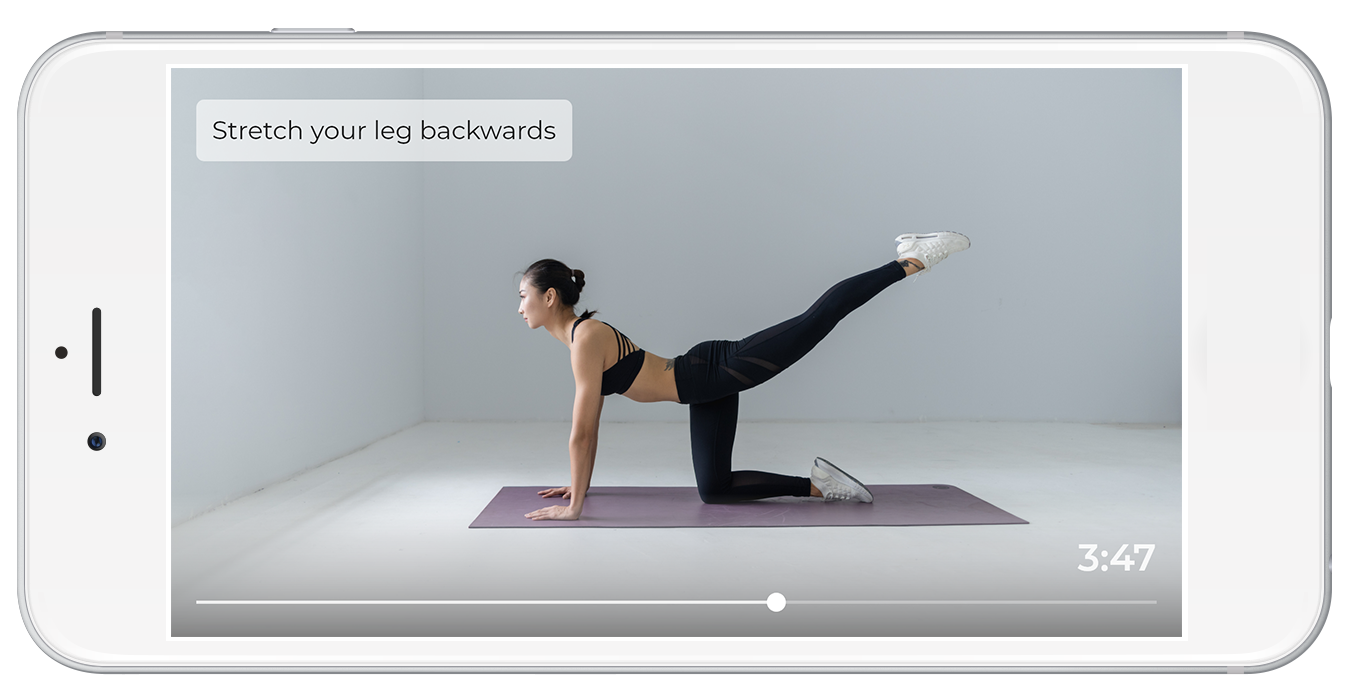
Workout Video Screen
Once the user clicks on the “Start” button, a full-screen video is displayed, horizontally, for a clear and convenient workout experience.
For a better understanding, instructions can be heard and read.
A countdown timer displays the time remaining to finish the workout.
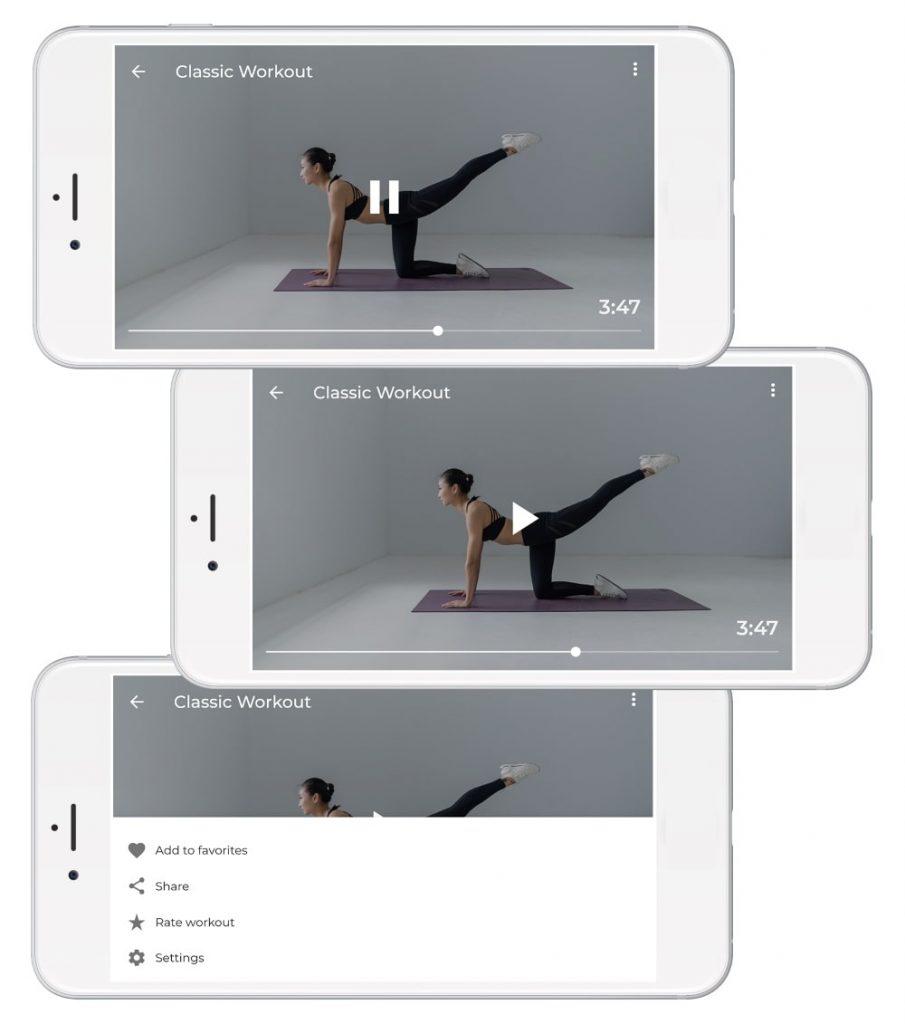
When touching the screen – a pause, back and menu buttons are displayed.
Once the user clicks on the pause button, a big play button is displayed in the center of the view to encourage the user to continue and finish the workout.
Clicking on the menu icon in the upper right corner allows the user to choose one of the following actions: Add to favorites, share, rate the workout or settings.
If the menu icon is chosen while the video is playing, then workout continues to play in the background.
User can quit watching the workout video by clicking on the back arrow.
The “User Completes a Workout” Screen
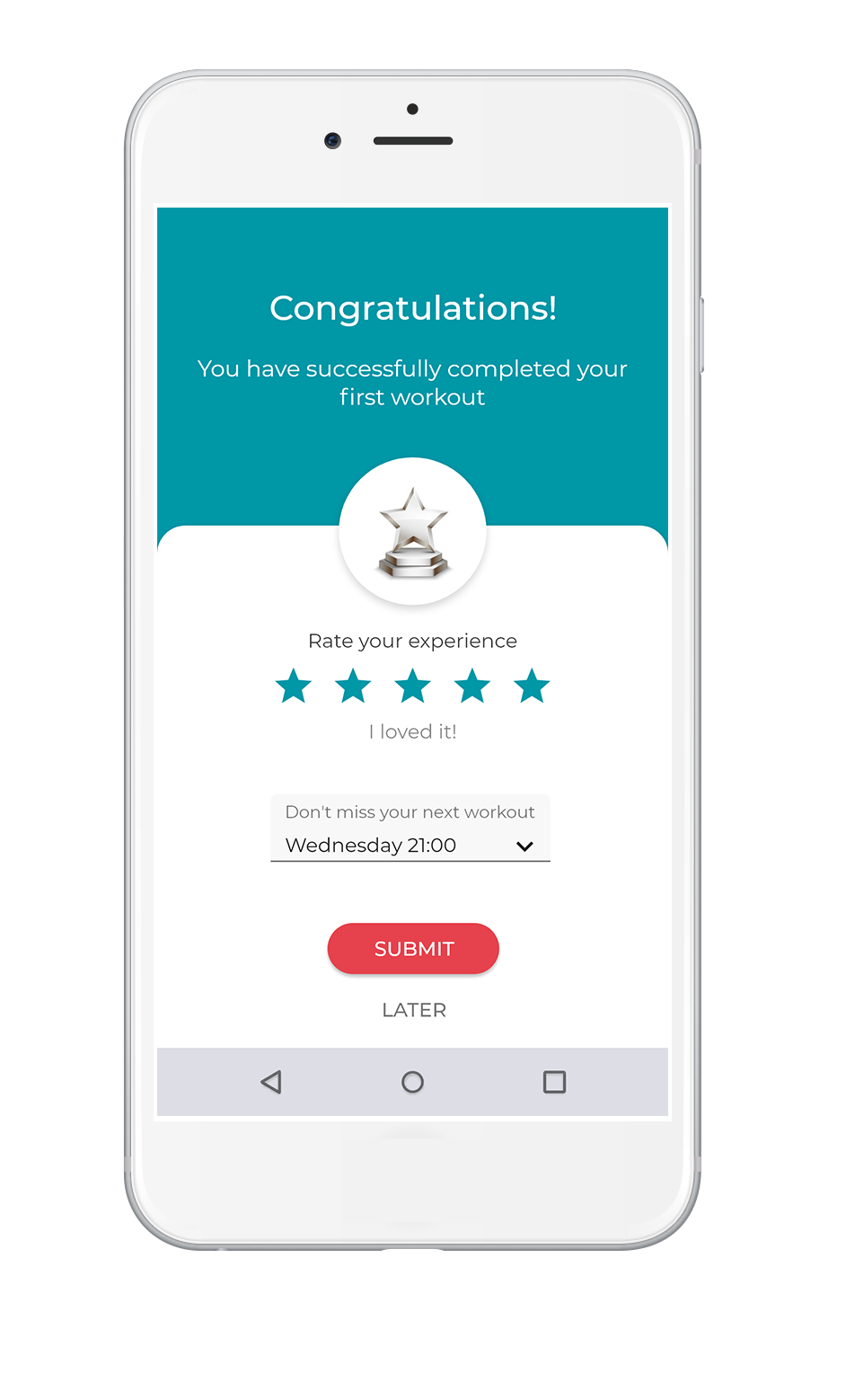
Once the user completes a workout:
- PERFECTFIT congratulates the user for finishing the workout and grants him with a reward in order to keep him motivated.
- PERFECTFIT allows the user to reschedule his next workout to make sure he keeps working-out.
- PERFECTFIT asks the user to rate the workout. The rating is used to better adjust future workout suggestions.
User may choose to skip these actions and get back to them on a later stage (via the settings menu).
The “User Quits a Workout” Screen
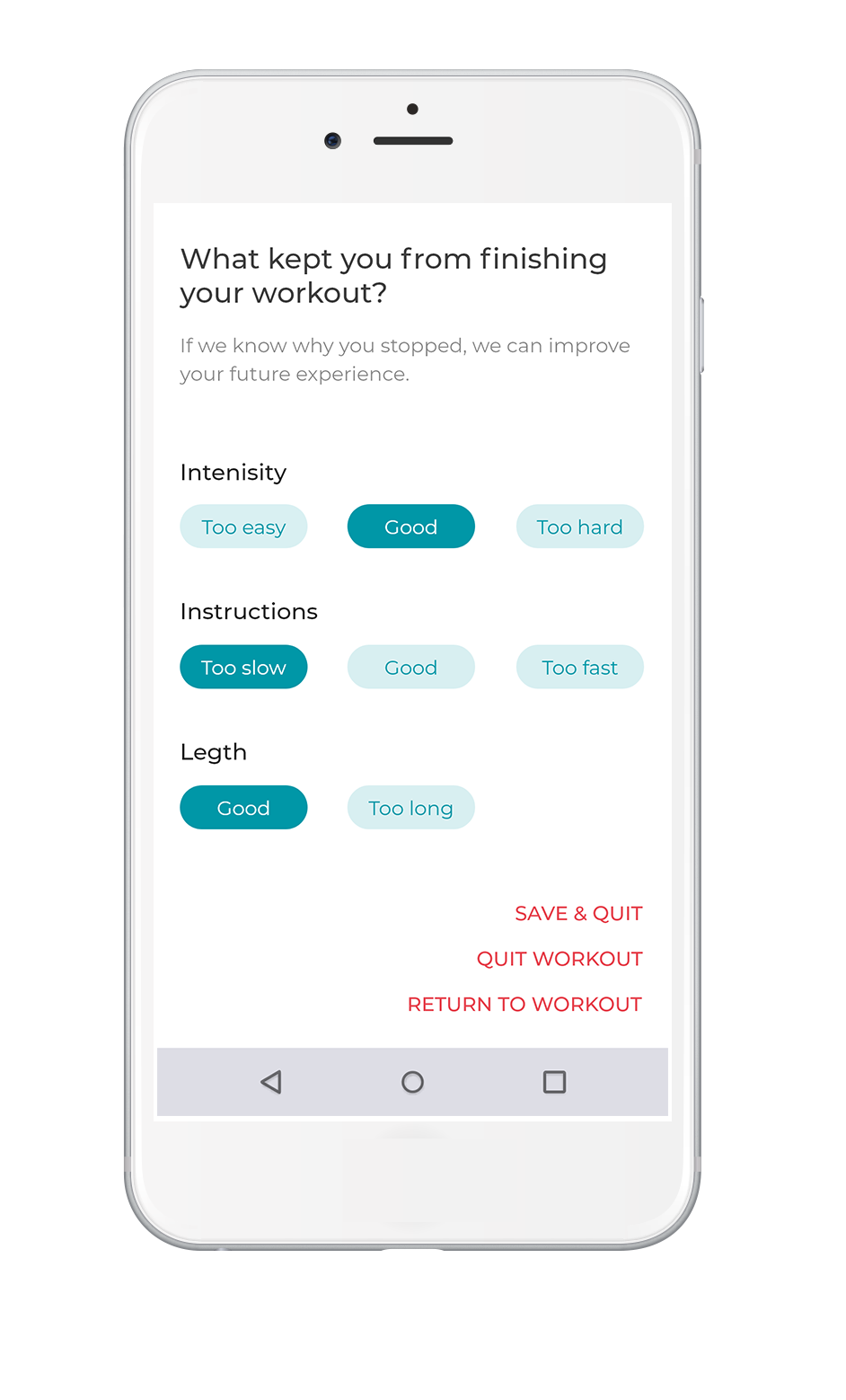
In case the user doesn’t complete a workout and quits it, he is motivated to answer a questionnaire in order to better adjust the following workouts recommendations.
This questionnaire appears when a user clicks the back button.
After completing the questionnaire the user will be returned to the “Workout Description” screen. User can also click “RETURN TO WORKOUT” to continue the current workout.
Progress
To keep the user motivated, PERFECTFIT allows the user to track his progress in a few ways:
- Statistics of the body weight and BMI and their change over time.
- Visual change (i.e. “before” and “after” photos).
- Achievements (rewards granted when completing the workouts).
User can filter progress data according to a specific time period.
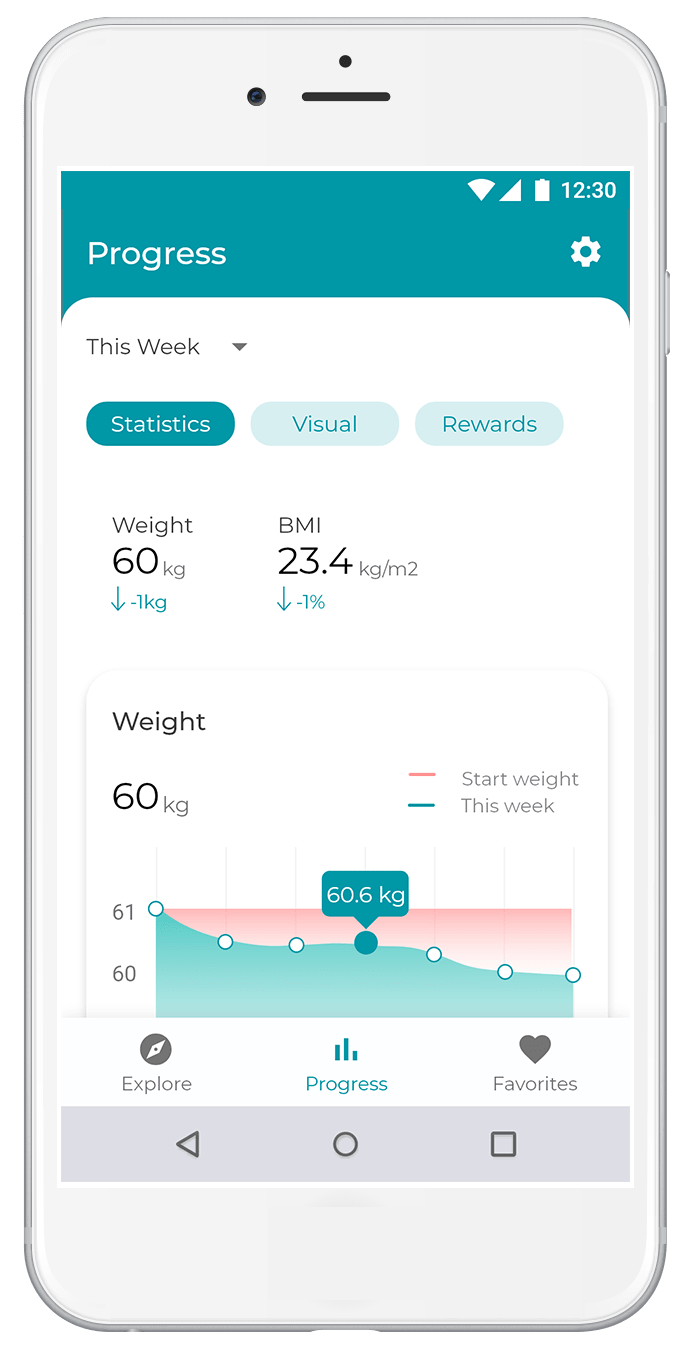
Statistics
A clickable graphic representation that allows to get clear information on a specific date.
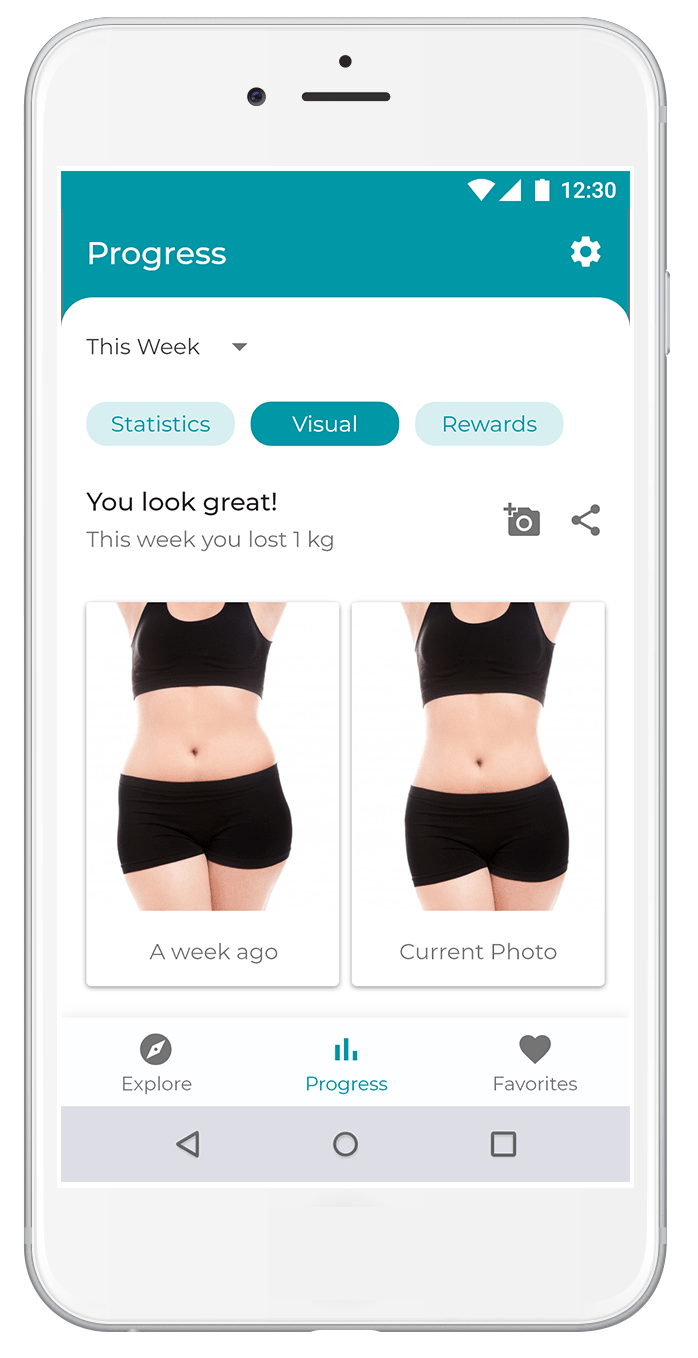
Visual
Clicking on the camera icon allows the user to add a new photo via image gallery or camera.
User can share his “before” and “after” photos to get good feedback from his friends.
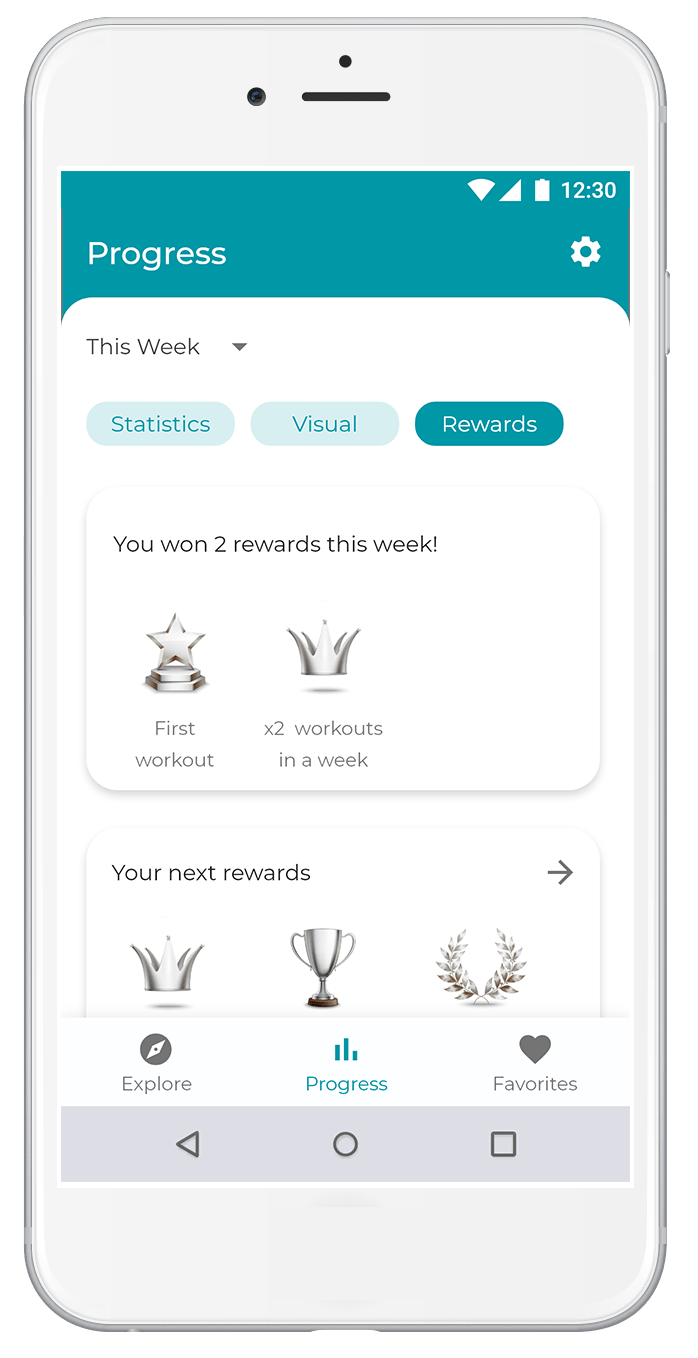
Rewards
PERFECTFIT grants a reward to the user whenever he finishes a workout successfully. Each reward contains a label that describes the achievement.
The Rewards screen allows the user to view all the rewards he got.
The user can also check the list of all rewards he can get by clicking on the “Your next rewards” arrow.
Favorites
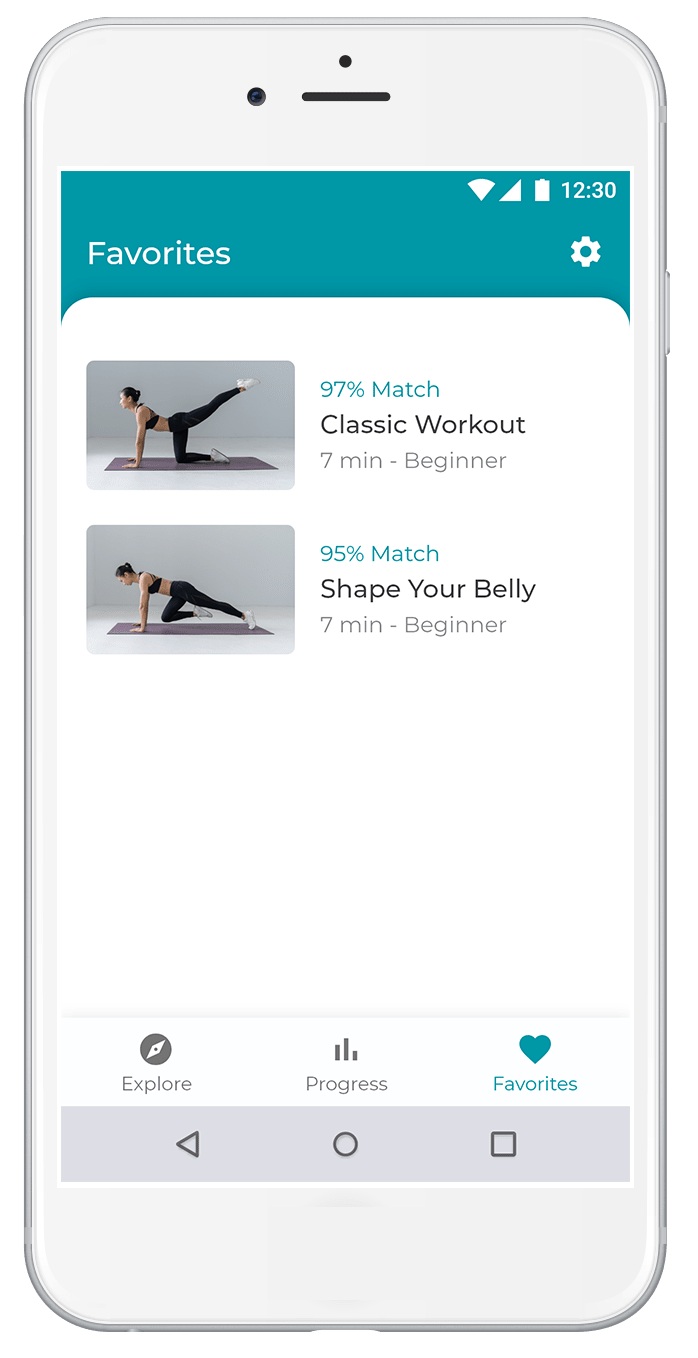
User can favorite workouts for easy access in the future.
If there are no workouts in this view, PERFECTFIT displays a message that encourages the user to add workouts to the list and explains how to add them.
Removing a workout from the favorite list is done by sliding the workout to the right.
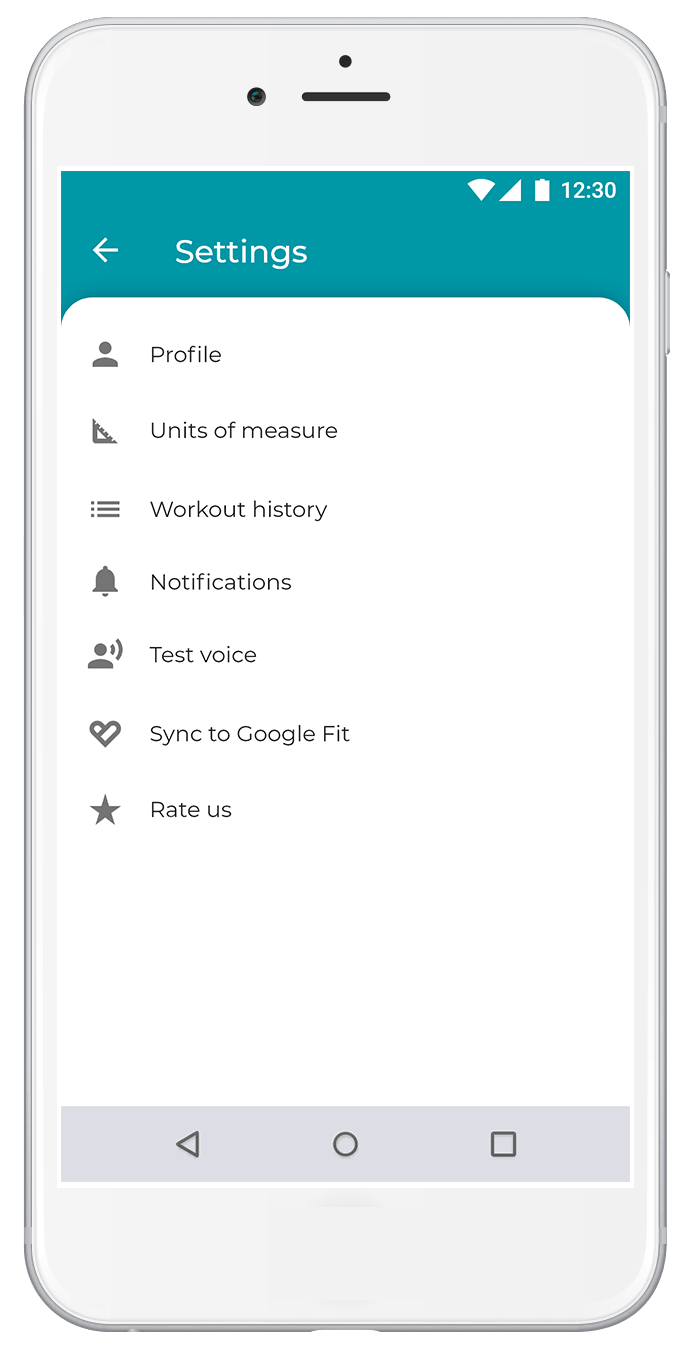
Settings
The “Settings” dialog can be accessed through-out the app. User has an easy access to update his preferences and more.
Settings button, unlike other main navigation buttons, is located in the upper right corner to allow the user an easy and quick success.
Interactive Prototype
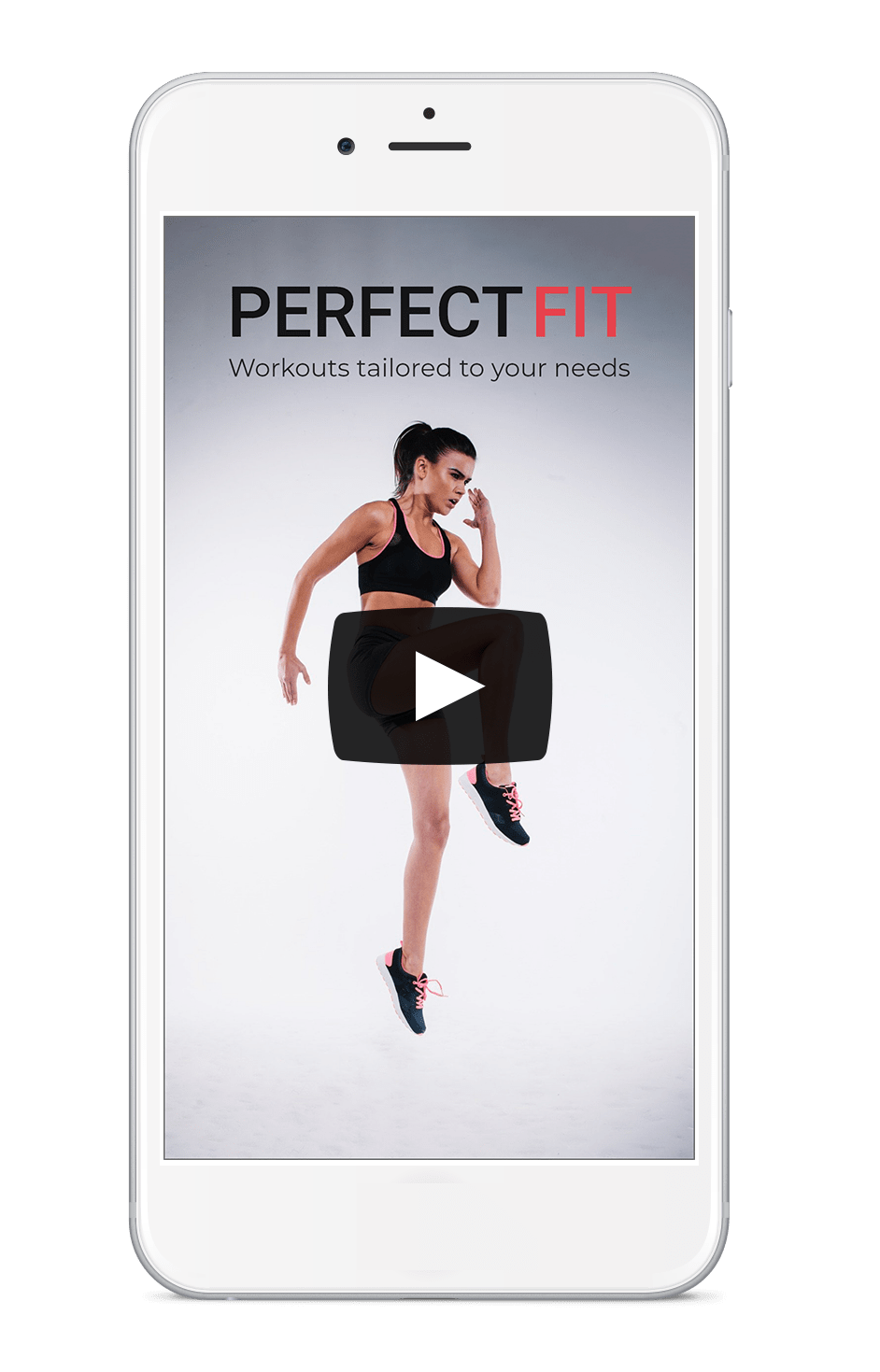
To better explain my vision, I created an interactive prototype.
Measuring Success
In order to measure PERFECTFIT success I will track the following metrics:
- Number of downloads and uninstalls: the number of users who download and install the application and the number of users who uninstall it.
- Retention over time: the number of users who stay “active” and keep using the app on a monthly basis (i.e. users who work out at least once a month).
- Usability rate: to measure whether the “active” users use the application more often, I will track the following usability rate on a monthly basis: average number of (viewed) workouts per “active” user.
- “Matching score” effectiveness: examine whether most of the selected videos are recommended at the top list of recommended workouts.
- Overall workout completion rate: the number of workouts that the users viewed and completed per week vs. the number of workouts that were viewed but were not completed. If most workouts are not completed, we should try to find the main reason users quit doing an exercise (using the “feedback” form).